

What Is UNGM? The UN Global Marketplace Explained
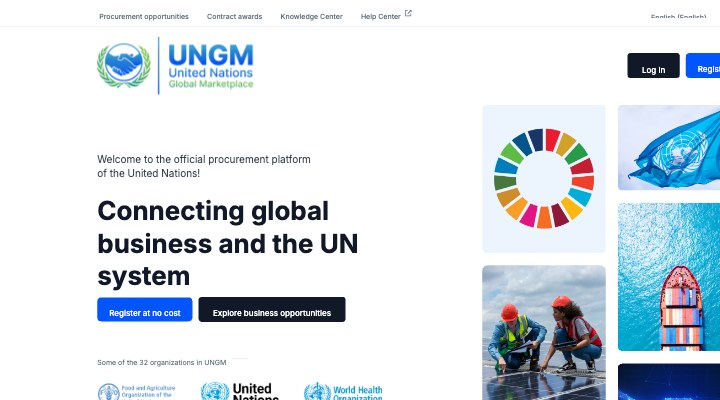
The UN Global Marketplace (UNGM) is the official procurement portal of the United Nations system. Launched as a joint initiative of the UN Procurement Division and key agencies, it serves as the single entry point where suppliers from any country can register to compete for UN contracts.
The UN system collectively spends more than $20 billion per year on goods, services and construction. This spend is distributed across UNDP, UNICEF, WHO, WFP, UNHCR, UNFPA and over one hundred other entities — all of which use UNGM as their common vendor database. A single approved UNGM vendor registration can, therefore, open doors to dozens of separate procurement pipelines simultaneously.
UNGM replaced fragmented, agency-specific supplier databases in the early 2010s and has grown steadily. By 2025, the platform hosts more than 175,000 registered vendors across virtually every industry sector. Despite this scale, a well-optimised profile is rare — most vendors complete only the minimum required fields, which significantly reduces their visibility to procurement officers searching the vendor database.
This UNGM registration guide exists to close that gap. By the time you finish reading, you will know not just how to create an account, but how to build a profile that stands out, passes every agency review, and positions you to win real contracts.
Who Can Register? Eligibility and Vendor Types
One of the most important facts in any UNGM registration guide is this: eligibility is intentionally broad. The UN system is committed to geographic diversity in procurement, so companies from almost every country are welcome — including developing nations, conflict-affected states, and small island economies that are often underrepresented in international procurement.
UNGM supports three main vendor categories:
- Suppliers of goods — manufacturers, distributors, and trading companies providing physical products from medical supplies and IT hardware to construction materials and food commodities.
- Providers of services — consulting firms, NGOs, staffing agencies, logistics providers, and technology companies delivering professional or technical services.
- Construction and civil works contractors — companies undertaking capital works such as building schools, health centres, or infrastructure in programme countries.
There is no minimum annual revenue stated on the UNGM portal for basic registration. However, individual UN agencies apply their own financial thresholds when evaluating vendors for specific contract categories. For contracts above $150,000, expect that agencies will scrutinise your financial statements carefully. Small and medium-sized enterprises (SMEs) are well-suited to lower-value procurement actions, which collectively represent the majority of UN contract awards by volume.
Entities that cannot register include sole individuals (unless operating as a registered legal entity), companies on UN sanctions lists, and vendors previously debarred for fraud or corruption. This UN vendor registration system maintains its integrity through robust due-diligence checks.
Step 1 — Create Your UNGM Account
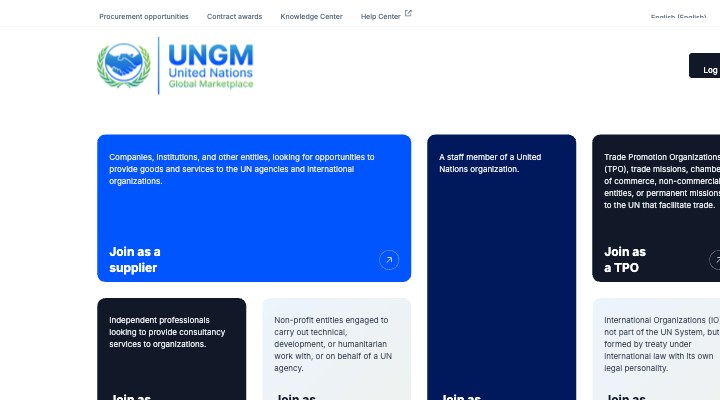
The first step in this UNGM registration guide is straightforward: navigate to www.ungm.org and click Register as a Vendor. Before you begin, prepare the following:
- A permanent company email address — avoid personal email accounts. All future tender notifications, renewal reminders, and agency communications will go to this address.
- Your company's legal name exactly as it appears on your official registration certificate. Any discrepancy between your UNGM profile name and your documents will cause your application to be rejected during review.
- Your country of registration and the year your company was incorporated.
After submitting your email, you will receive a confirmation link within minutes. Once confirmed, the portal walks you through a multi-step wizard. Do not rush through the wizard — many vendors make their first UN vendor registration errors here by entering abbreviated or informal company names. Use full legal names throughout.
At this stage, UNGM assigns your account a unique vendor ID. Store this ID securely — you will reference it in all future communications with UN procurement offices. The UNGM step by step approach to account creation is designed to be intuitive, but the initial data you enter forms the foundation of your vendor profile and is difficult to change later without supporting documentation.
Step 2 — Complete Your Vendor Profile
A complete vendor profile is the single biggest differentiator in the UNGM registration guide. Procurement officers search the UNGM database by UNSPSC (United Nations Standard Products and Services Code) and keyword. If your profile does not accurately reflect your capabilities, you will simply not appear in relevant searches — regardless of how qualified you are.
Choosing Your UNSPSC Codes
UNSPSC codes are hierarchical: Segment (2 digits) → Family (4 digits) → Class (6 digits) → Commodity (8 digits). For UNGM purposes, select codes at the Class level — this is specific enough to match real tender categories while broad enough to capture variations in how agencies describe needs. Selecting only Segment-level codes makes your profile too generic; selecting only Commodity-level codes can make you invisible to tenders worded differently.
As part of this UNGM registration guide, we recommend selecting between 5 and 15 UNSPSC codes. Adding dozens of codes in unrelated categories signals to reviewers that your company lacks focus and may trigger additional scrutiny or rejection of your UN vendor registration application.
Writing Your Company Description
The company description field is full-text searchable. Write a concise, factual description of 200–400 words. Include your core competencies, sectors served, geographic reach, and any significant past contracts — especially if you have previously worked with governments or international organisations. This is not the place for marketing language; UN Global Marketplace vendor reviewers expect factual, verifiable statements.
Also complete the Key Personnel section with at least two senior contacts, the Countries of Operation to indicate where you can deliver, and the Annual Revenue bracket honestly. Agencies cross-reference revenue declarations against financial documents during the review stage.
Step 3 — Upload Required Documents
Document quality is where many UNGM registration guide steps break down in practice. The core documents required are consistent across all UN agencies, but each agency may request supplementary items during their own vendor review. Prepare all documents in PDF format, ideally scanned at 300 DPI or higher, and keep file sizes under 5 MB each to avoid upload failures.
Mandatory Documents
- Certificate of Incorporation / Business Registration — must show your exact legal name, registration number, and country. Translated into English or French if in another language.
- Audited Financial Statements — the two most recent years, signed by a certified accountant. Balance sheet and income statement are both required.
- Bank Reference Letter — from your primary banking institution, confirming your account is in good standing. Dated within the last six months.
- Ownership / Beneficial Ownership Declaration — identifying all shareholders holding 10% or more of the company.
Supporting Documents That Strengthen Your Profile
- ISO 9001 (Quality Management) — the single most impactful certification for general UN vendor registration approvals.
- ISO 14001 (Environmental Management) — increasingly required by UNEP, UNDP, and other environmentally-focused agencies.
- Sector-specific certifications (e.g., WHO Good Manufacturing Practice for pharmaceutical vendors, IATA accreditation for freight forwarders).
- Reference letters from previous major clients, particularly other UN agencies or bilateral donors such as USAID or the EU.
A vital point in this UNGM registration guide: never upload expired documents. The UNGM system automatically flags profiles with expired certificates and agencies can deactivate your UN vendor registration without prior notice if documents lapse.
Step 4 — Submit for Vendor Review
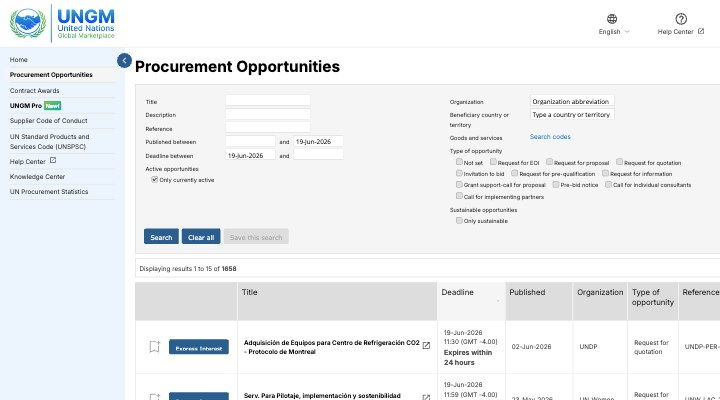
Submitting your completed profile for review is a deliberate step — it is separate from simply saving your profile. Once you click Submit for Approval, your application enters a queue that is processed by individual UN agency procurement offices, not by a central UNGM team. This distinction matters for the UNGM step by step process because each agency reviews independently.
Review timelines vary considerably:
- UNDP and UNICEF typically complete first reviews within 4–6 weeks.
- WHO and WFP can take up to 8–12 weeks for initial assessment, particularly for pharmaceutical or food commodity vendors.
- Smaller specialised agencies may process applications faster — sometimes within two weeks — because they receive fewer submissions.
During review, assessors check the following: authenticity and currency of uploaded documents, consistency between stated capabilities and UNSPSC codes, financial health indicators, absence of sanctions-list matches, and ownership transparency. If anything is unclear, the agency will send a Request for Additional Information (RFAI) to your registered email. Respond within the stated deadline — typically 14 days — or your UNGM registration application may be closed.
After the review, your profile will be marked as either Approved, Conditionally Approved (with requirements to fulfil within a set period), or Rejected with reasons provided. A rejection is not final; you can address the stated gaps and resubmit as part of a revised UN vendor registration application.
Step 5 — Get Approved and Set Up Alerts
Receiving your first approval notification is a milestone, but this UNGM registration guide emphasises that approval is not the end goal — winning contracts is. The immediate actions you take after approval determine whether your registration translates into commercial results.
First, log into UNGM and verify that your profile status shows "Approved" (or "Level 1 Registered" for basic registrations). Then navigate to Tender Alerts in your account settings and configure automatic email notifications based on your UNSPSC codes and country preferences. This is one of the most underused features on the UN Global Marketplace vendor portal — most approved vendors never configure alerts and consequently miss opportunities.
Set alerts for:
- Request for Quotation (RFQ) — lower-value purchases, often below $100,000, with shorter deadlines. Ideal entry points for new UN vendors.
- Request for Proposal (RFP) — services and complex deliverables, evaluated on both technical and financial criteria.
- Invitation to Bid (ITB) — goods and construction, evaluated primarily on price once technical compliance is confirmed.
- Expression of Interest (EOI) — pre- qualification notices that build your pipeline before formal tenders open.
You can also browse live UN tender opportunities on our platform to supplement UNGM alerts with curated, translated summaries of active tenders matched to your sector.
Step 6 — Submit Your First Expression of Interest (EOI)
An Expression of Interest (EOI) is a pre-qualification submission in which you demonstrate to a specific UN agency that your company meets the minimum technical, financial, and compliance requirements to be shortlisted for a forthcoming contract. Responding to EOIs is the most important early action in the UNGM step by step journey for new vendors.
When writing an EOI response as part of your UNGM registration guide to market entry, include:
- A concise company overview (2–3 paragraphs) tailored specifically to the requirements in the EOI notice — generic boilerplate performs poorly.
- Three to five relevant past contracts in the same sector or service category, including client name, contract value, dates, and a brief description of deliverables.
- Key personnel CVs for the team that would manage the contract, with qualifications and years of experience clearly stated.
- A brief methodology statement showing you understand the operational context — demonstrating awareness of UN field conditions, procurement rules, and reporting requirements always impresses evaluators.
Being shortlisted from an EOI does not guarantee a contract, but it places you on the agency's active vendor list for that category — often for 12 to 24 months. This institutional recognition compounds over time and becomes a major competitive advantage in the UN Global Marketplace vendor ecosystem.
Note that smaller-value direct contracts (below $5,000 for most agencies) can be awarded without a competitive process. An approved UNGM vendor profile makes you eligible for these micro-procurement actions, which are an excellent way to build your reference list.
Step 7 — Maintain Your Profile (Annual Renewal and UNSPSC Updates)
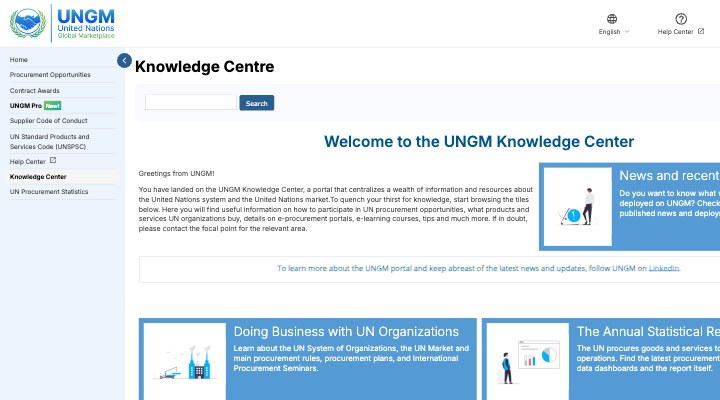
Many vendors complete their UNGM registration guide journey and then neglect their profile — treating it as a one-time task rather than an ongoing asset. This is a costly mistake. An inactive or outdated profile can be deactivated by agencies, removing you from tender notification lists and shortlisting processes without warning.
Annual review requirements include:
- Update financial statements to include the most recent completed fiscal year. Agencies that approved your UN vendor registration on the basis of strong financials will re-check this data periodically.
- Renew or replace any expiring certifications— ISO certificates typically have three-year validity with annual surveillance audits. Upload the current certificate as soon as it is issued.
- Review your UNSPSC codes annually. The UNSPSC taxonomy is updated periodically and your company's capabilities may have expanded. Adding relevant new codes can open you to entirely new tender categories.
- Update key personnel information whenever there are changes in senior management or technical leadership. Agencies want current contact details for procurement enquiries.
- Add newly completed UN contracts to your references — every delivered contract strengthens your profile for the next competition.
Set a calendar reminder three months before your registration anniversary date. This gives you time to gather updated documents, obtain bank reference letters (which need to be recent), and complete the renewal submission before any lapse occurs. Proactive UNGM registration guide adherence at the renewal stage is what separates consistently active UN vendors from those who periodically fall off agency shortlists.
Common UNGM Registration Mistakes to Avoid
Drawing on assessments of hundreds of vendor profiles, this section of the UNGM registration guide outlines the most frequently encountered errors — and how to avoid them.
Using a personal email address
Personal email accounts (Gmail, Yahoo, Hotmail) undermine credibility and create continuity risk. If the individual leaves the company, the account is inaccessible. Always use a company domain email such as [email protected].
Selecting overly broad UNSPSC codes
Registering under Segment-level codes such as '80000000 – Management and Business Professionals and Administrative Services' is too vague. UN procurement officers searching for specific capabilities will not find you. Select Class-level codes that precisely map to your services.
Uploading expired documents
Expired registration certificates, outdated ISO certificates, or bank reference letters more than six months old will trigger rejection during agency review. Build a document expiry calendar and upload replacements before the deadline.
Generic company descriptions
A boilerplate description copied from your company website does not serve you on UNGM. Write a procurement-focused description that explicitly states your product categories, quality standards, delivery experience, and geographic reach.
Ignoring the ownership declaration
Incomplete beneficial ownership information is the number-one reason for delayed UN vendor registration reviews. The UN has zero tolerance for opacity in ownership structures. Complete this section in full, including any parent companies or majority shareholders.
Failing to respond to RFAIs
A Request for Additional Information is not a rejection — it is an opportunity. Vendors who respond promptly with complete, well-organised documents are almost always approved. Vendors who miss the deadline lose their application entirely.
Never updating the profile after approval
Approval does not end your UNGM registration guide obligations. A stale profile signals inactivity to procurement officers. Update your references, certifications, and personnel data at least annually to remain competitive in the UN Global Marketplace vendor database.
Frequently Asked Questions About UNGM Registration
How long does UNGM registration take?
The UNGM registration process itself — completing the online form and uploading documents — takes 30–60 minutes. After submission, vendor review by individual UN agencies typically takes 4–12 weeks, depending on the agency and how complete your documentation is. UNDP and UNICEF tend to be faster; WHO and WFP can take longer for specialist commodity categories.
Is UNGM registration free?
Yes, UNGM registration is completely free. The UN does not charge any fee to register on the UN Global Marketplace. Be cautious of third-party websites or consultants who claim to charge for UNGM registration itself — while consulting support to prepare your application is a legitimate service, the registration fee itself is zero.
What UNSPSC codes should I choose during UNGM registration?
Choose UNSPSC codes at the Class level (6 digits). This gives you sufficient specificity to appear in relevant procurement searches without being so narrow that you miss related opportunities. Cross-reference the UNSPSC taxonomy with the language used in recent tenders in your sector to align your code selections with how agencies actually describe requirements.
Do I need ISO certification to register on UNGM?
ISO certification is not mandatory for basic UNGM registration. However, ISO 9001 is a strong differentiator and is explicitly required by some agencies for certain contract categories. If you do not currently hold ISO 9001, investing in certification is one of the highest-ROI steps a vendor can take to improve UNGM approval rates and contract win probability.
Can small businesses register on UNGM?
Yes. UNGM actively encourages SME participation. There is no minimum revenue threshold for basic profile registration. UN agencies are committed to supplier diversity, and many have specific programmes designed to increase awards to smaller vendors, particularly those from developing countries or underrepresented regions.
How often do I need to renew my UNGM registration?
Most UN agencies require vendor profile renewal every one to two years. The UNGM system itself sends reminder notifications before your registration anniversary. Additionally, any time you update key business information — change of address, new management, revised financial data — you should update your UNGM profile immediately rather than waiting for the annual cycle.
Conclusion: Your UNGM Registration Guide to UN Market Entry
The path to becoming an approved UN Global Marketplace vendor is methodical, not mysterious. This UNGM registration guide has walked you through each of the seven steps — account creation, profile completion, document upload, vendor review submission, post-approval setup, first EOI, and ongoing maintenance — because success in UN procurement is built on process discipline, not luck.
The vendors who consistently win UN contracts share a common profile: their UNGM profiles are complete and current, their UNSPSC codes are precise, their documents are up to date, and they respond to tenders systematically rather than sporadically. Following this UNGM step by step guide puts you in that category from day one.
The UN system's annual procurement spend continues to grow — driven by expanding humanitarian operations, climate adaptation programmes, and post-pandemic recovery investments. The window of opportunity for new UN vendors is wider in 2025 than at any point in the last decade. Your UNGM registration is the key that unlocks access to this market.
If you need expert support to navigate the UNGM registration process, optimise your vendor profile, or prepare winning bid submissions, our procurement consulting team is ready to help. Start with our free plan to access our UN tender database and get a feel for the opportunities available in your sector before investing in a full-service package.


TenderZoom – International Tender Search Platform
Sign up free and follow the tenders that fit you.
Create your account, filter tenders, save your searches and get notified about new notices.